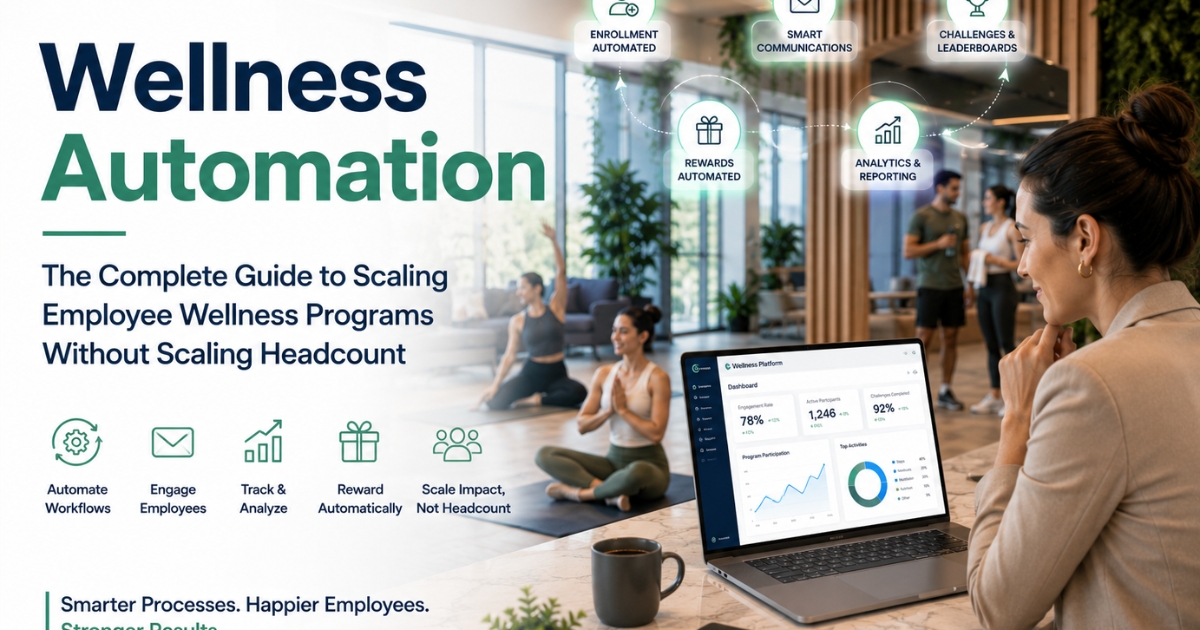
Wellness Automation: The Complete Guide to Scaling Employee Wellness Programs Without Scaling Headcount
Introduction
Running a wellness program by hand does not scale. One HR person can run it for 50 employees. They can handle sign-ups, send reminder emails, build reports by hand, and track leaderboards too. But this breaks at 500 employees. It's almost impossible at 5,000. Still, many companies do it this way. HR spends hours on the same tasks, leaving less time to improve the program. The fix is wellness automation. By automating enrollment, communication, reporting, and rewards, companies can scale employee wellness programs without scaling headcount.
Still, many companies do it this way. HR spends hours on the same tasks. They have less time to make the program better.
The fix is wellness automation.
Companies that automate their wellness programs see:
• 70–80% less time spent on admin work.
• 40–60% faster replies to employee questions.
• 2–3 times more program updates, since staff have more free time.
• Fewer mistakes in tracking and reports.
• The power to grow the program without hiring more people.
This guide shows you what to automate. It shows you which tools to use. And it shows you how to do this without losing the human touch that makes wellness programs work.
Why Wellness Automation Matters
Reason 1: HR Time Is Expensive and Scarce
Most HR staff spend 15–25 hours a week on manual wellness work, like:
• Signing up new people.
• Sending reminder emails.
• Building reports.
• Updating leaderboards.
• Answering the same questions again and again.
• Tracking who gets which reward.
HR time costs $40–60 an hour. That includes pay and benefits. So this work costs $2,400–6,000 a month. A computer could do most of it.
Reason 2: Manual Processes Don't Scale
• 50 employees: Easy to manage by hand.
• 500 employees: Takes a lot of HR time.
• 5,000 employees: Almost impossible without a big team.
Automation removes this problem completely.
Reason 3: Automation Improves Participant Experience
Manual work is often slow. It's also inconsistent.
• Enrollment confirmations arrive late.
• Reminders go out at random times.
• Rewards take a while to arrive.
• Questions get slow answers.
Automated systems fix this. Employees get a fast, steady experience:
• Enrollment confirmed right away.
• Reminders sent at the right time.
• Rewards triggered automatically.
• Help available any time, day or night.
Reason 4: Automation Enables Personalization at Scale
You can't write a personal message to 500 people. But automated systems can use data to do it for you:
• Personal progress updates.
• Challenges picked to match each person's interests.
• Extra outreach to people who are losing interest.
• Content that matches what someone likes.
Reason 5: Better Data and Reporting
Spreadsheets are slow. They're also easy to get wrong. Automated systems give you:
• Live dashboards.
• Reports that build themselves.
• Trend tracking.
• Early warnings. For example: who might quit, or who's ready for a new challenge.
Reason 6: Frees HR for Strategic Work
Speed isn't the only win. Automation gives HR time back. That time can go toward work only a person can do:
• Planning and shaping the program.
• Helping employees through hard, personal situations.
• Building relationships and a caring culture.
• Studying what works and making it better.
What to Automate in Your Wellness Program
Category 1: Enrollment & Onboarding
What to automate:
• Invite new hires automatically, using data from your HR system.
• Send enrollment confirmation emails.
• Send a welcome series that explains the program.
• Remind people who haven't finished signing up.
• Turn on app access and benefits automatically.
Tools you need: A link to your HR system, an email tool, and a wellness platform with an API.
Time saved: 5–8 hours a week for a mid-size company.
Category 2: Communication & Reminders
What to automate:
• Weekly progress emails, personal to each person.
• Challenge reminders by push notification or email.
• Milestone messages sent automatically, on day 7, 30, 60, and 90.
• Win-back messages for people who've gone quiet.
• Reminders for challenge start and end dates, and sign-up deadlines.
Tools you need: A marketing automation tool and a wellness app with notifications.
Time saved: 6–10 hours a week.
Category 3: Challenge & Leaderboard Management
What to automate:
• Track activity automatically. Steps and workouts sync from wearables and apps.
• Update leaderboards in real time.
• Pick and notify winners automatically.
• Build and balance teams for team challenges.
• Start and end challenges automatically.
Tools you need: A wellness platform that connects to wearables, plus an automatic leaderboard.
Time saved: 4–6 hours a week during active challenges.
Category 4: Incentive & Reward Fulfillment
What to automate:
• Check automatically if someone earned a reward.
• Send the reward automatically. Think gift cards or HSA deposits.
• Apply insurance discounts for participants.
• Run raffles and pick winners.
• Give out badges and recognition.
Tools you need: A wellness platform with reward tracking, connected to payroll or benefits.
Time saved: 3–5 hours a week.
Category 5: Reporting & Analytics
What to automate:
• Weekly and monthly reports, built automatically.
• ROI dashboards that update on their own.
• Reports split by department, location, or group.
• Executive summaries.
• Alerts when participation changes a lot.
Tools you need: An analytics tool linked to your wellness data.
Time saved: 8–12 hours a month.
Category 6: Support & FAQ
What to automate:
• A chatbot for common questions, like how to sign up.
• An FAQ page.
• A self-service portal to update profiles, check progress, or get certificates.
• Automatic hand-off to a person for harder issues.
Tools you need: A chatbot or AI support tool, plus a help center.
Time saved: 4–6 hours a week.
Category 7: Health Screening & Biometric Coordination
What to automate:
• Let people book their own screening.
• Send reminders before screenings.
• Deliver results safely and automatically.
• Suggest next steps based on results.
Tools you need: A scheduling tool and a secure system for health data.
Time saved: 5–8 hours during screening periods.
Building Your Wellness Automation Stack
Core Platform: Wellness Management System
This is your main hub. It should handle:
• Sign-ups and employee profiles.
• Activity tracking, linked to wearables.
• Challenges and leaderboards.
• Basic messages.
• Basic reports.
Popular options: Virgin Pulse, Wellhub/Gympass, Limeade, Vitality, and WebMD Health Services.
Integration Layer
This links your wellness platform to your other systems:
• HR system: Keeps new hires, leavers, and team changes in sync.
• Payroll and benefits: Sends rewards like HSA deposits or discounts.
• Insurance provider: Shares screening or claims data, where it can.
• Calendar: Books screenings and events.
Communication Automation Layer
If your platform's messaging tools are weak, add:
• An email tool, like Mailchimp or HubSpot, for multi-step email series.
• An SMS or push tool for urgent reminders.
• Slack or Teams, to automate community chat.
Analytics & Reporting Layer
For deeper reports than your platform gives you on its own:
• A tool like Tableau or Power BI, linked to your wellness data.
• Reports that build and send themselves.
• A custom dashboard for leaders.
Support Automation Layer
• A chatbot tool, like Intercom or Drift, or one built into your platform.
• A self-service help center.
• Automatic routing of hard questions to a person.
How Fitzpot Automates Wellness End-to-End
Everything above is what to automate. Fitzpot is the platform that does it. It adds AI on top of the sign-up, messaging, challenge, and reporting automation in this guide. Here's how each piece shows up inside Fitzpot:
• AI Wellness Companion — sends reminders, habit coaching, hydration prompts, and recovery tips. It also celebrates milestones and sends friendly nudges.
• AI Recommendation Engine — looks at real behavior, not fixed rules. It suggests challenges, nutrition plans, coaching, timely support, and outreach.
• Corporate Wellness Score — one simple score for leaders. They don't need to dig through many reports to see how the company is doing.
• Individual Wellness Score — a personal score for each employee, based on participation, engagement, recovery, and consistency.
• Burnout Risk Monitoring — spots drops in participation or engagement. These may signal rising burnout. Support can start early.
• Predictive Analytics — flags who might disengage and who's ready for a new challenge. You see it before it shows up in a monthly report.
• Executive Dashboard — gives leaders a live view of program health, tied to the Corporate Wellness Score.
• Marketplace — connects employees with trainers, nutritionists, therapists, and other providers, based on what they need.
Together, these tools turn fixed rules into a system that learns, suggests, and adapts. And they keep the human touch this guide has stressed all along.
AI Recommendation Engine: Beyond Fixed Automation Rules
Old-style automation runs on fixed rules. Day 30? Send a milestone email. Inactive for 14 days? Send a check-in message. This works. But it treats everyone the same.
Fitzpot's AI Recommendation Engine goes further. It looks at real behavior, not just fixed rules. It suggests:
• Challenges that match someone's activity level.
• Nutrition plans that fit their goals and progress.
• Coaching aimed at where they need help, or where they're doing well.
• Support offered at the moment it will help most.
• Outreach aimed at the people most likely to drop out.
The result: automation built around the person. Not just the calendar.
AI Wellness Companion: Automation That Feels Human
Automation is more than emails and dashboards. Through the AI Wellness Companion, employees get:
• Reminders.
• Habit coaching.
• Hydration prompts.
• Recovery tips.
• Milestone celebrations.
• Wellness nudges.
It talks with employees like a companion. Not like a system of alerts.
Corporate Wellness Score: One KPI for Leadership
The reporting tools covered earlier — dashboards, trend alerts, summaries — still leave leaders piecing together several reports. They're all trying to answer one question: how healthy is our workforce, overall?
Fitzpot's Corporate Wellness Score answers that directly. It rolls everything into one score. Leaders get a clear picture without digging through many reports.
Individual Wellness Score: Personalization for Employees
Leaders get one score for the whole company. Employees get one score for themselves too. Fitzpot's Individual Wellness Score reflects:
• Participation.
• Engagement.
• Recovery.
• Consistency.
• Healthy habits.
It's a simple, personal signal of progress. It sits alongside the personal messages and suggestions covered earlier.
Burnout Risk Monitoring: Making Predictive AI Explicit
Earlier, this guide mentioned predictive insights. Who's likely to drop out? Who's heading toward risk? Fitzpot extends this into burnout monitoring. Its AI can spot:
• Falling participation.
• Changes in engagement.
• Wellness trends.
These may point to rising burnout risk. That lets support start early. It still respects each employee's privacy and their choice to opt in. This is the same approach this guide recommends for all AI and predictive tools.
Marketplace: Connecting Employees to the Right Support
Automation can reach past the wellness platform itself. Through the Marketplace, the system can point employees toward:
• Trainers.
• Nutritionists.
• Therapists.
• Wellness providers.
matched to what they need. This turns an AI suggestion into a real next step. Not just another message in an inbox.
Implementation: The 4-Month Wellness Automation Roadmap
Month 1: Audit & Prioritize
Week 1–2: Process Audit
• Map out your current manual steps.
• Track how many hours each step takes.
• Find the slowest, most repeated tasks. These are your best targets for automation.
Week 3–4: Technology Assessment
• Check what your platform can already automate.
• Find the gaps that need new tools.
• Research and shortlist options.
• Work out the ROI. Compare time saved to the cost of the tools.
Output: A ranked automation plan and a shortlist of tools.
Month 2: Foundation Setup
Week 1–2: Core Platform Configuration
• Set up your platform's automation features.
• Connect it to your HR system, so new hires are enrolled automatically.
• Set up basic messages: a welcome series and reminders.
Week 3–4: Integration Build
• Connect payroll and benefits systems, for automatic rewards.
• Connect wearables and apps, for activity tracking.
• Test everything carefully before you launch.
Output: Your core automation set up and ready.
Month 3: Advanced Automation & Testing
Week 1–2: Communication Automation
• Build your full message sequences: onboarding, milestones, and win-back messages.
• Set rules to personalize messages, based on each person's data.
• Check every message for accuracy and tone.
Week 3–4: Reporting Automation
• Build dashboards that update on their own.
• Schedule reports to go to leaders automatically.
• Check the numbers against your own manual math.
Output: A fully tested and polished automation system.
Month 4: Launch & Optimization
Week 1–2: Phased Rollout
• Turn on automation for a few processes first. Pick the lower-risk ones.
• Watch closely for errors.
• Ask participants what they think of the automated messages.
Week 3–4: Full Launch & Refinement
• Turn on the rest of the automation.
• Improve it based on early feedback.
• Write down how everything works, for future upkeep.
• Train your team to watch over the automated systems.
Output: A fully automated program, documented and fine-tuned.
Automation Best Practices (Don't Lose the Human Touch)
Best Practice 1: Automate Repetition, Not Relationships
Automate: reminder emails, data collection, report building, and standard confirmations. Keep human: reaching out to struggling participants, solving hard problems, making strategy decisions, and talking with leadership.
Best Practice 2: Personalize Automated Communications
Generic emails feel robotic. Use data to make them personal.
• Instead of: "Don't forget to log your activity!"
• Try: "Sarah, you're on a 12-day streak! Keep going — just 3 more days to beat your best."
Personal touches make automated messages work much better.
Best Practice 3: Build in Human Escalation Points
Automation needs clear points where it hands off to a person:
• Chatbot can't solve it? Send it to a human.
• Someone shows a worrying pattern, like sudden weight loss or signs of distress? Flag it for a person to follow up.
• A high-value case, like a key employee or someone at risk of leaving? Give it a personal touch. Don't rely on automation alone.
Best Practice 4: Test Before Full Automation
Don't automate everything at once. Test with a small group first. Improve it based on feedback. Then roll it out to everyone.
Best Practice 5: Monitor for Automation Drift
Automated systems can slip out of date. Content gets stale. Integrations break. Triggers stop making sense. Check your automation every three months. Make sure it still works and still fits.
Best Practice 6: Maintain Privacy Standards in Automation
Automated systems that handle health data need the same care as manual ones:
• Secure handling of data.
• The right access controls.
• HIPAA compliance, where it applies.
• Clear consent built into sign-up.
Best Practice 7: Use Automation to Enable MORE Human Touch, Not Less
The goal isn't to remove human connection. It's to free up time for more of it. If automation saves you 15 hours a week, put some of that time into:
• Personal outreach to people who are struggling.
• One-on-one coaching conversations.
• Program improvements based on what the data shows.
• Building real community connections.
ROI of Wellness Automation
Investment:
• Automation tools: $5,000–20,000 a year. It depends on your company's size and needs.
• Setup time: 80–120 hours, one-time. Usually spread across HR and IT.
• Ongoing upkeep: 2–4 hours a week.
Time Savings (500-employee company example):
• Enrollment/onboarding automation: 6 hours/week saved.
• Communication automation: 8 hours/week saved.
• Challenge/leaderboard automation: 5 hours/week saved.
• Incentive fulfillment automation: 4 hours/week saved.
• Reporting automation: 10 hours/month saved (about 2.5 hours/week).
• Support automation: 5 hours/week saved.
Total: about 30 hours a week saved.
Financial Value:
Multiply it out: 30 hours a week, times $50 an hour (pay plus benefits), times 52 weeks. That's $78,000 a year in HR time value.
Additional Benefits (Harder to Quantify but Real):
• Faster replies make participants happier. That's about 15–20% more engagement.
• More consistent messages improve retention. That's about 10–15% better retention.
• Better data means better decisions.
• Freed-up HR time keeps adding value over time, as staff improve the program.
ROI Calculation:
• Cost: $15,000 a year for the platform. Plus about $8,000 in one-time setup labor.
• Benefit: $78,000 a year in time saved, plus better engagement and retention.
• ROI: 300–400%+ in year one. It's even higher after that, since setup is a one-time cost.
Common Wellness Automation Mistakes
Mistake 1: Automating Before Understanding the Process
Automating a broken or slow process just makes the bad process happen faster.
Fix: Review and improve the process first. Then automate the better version.
Mistake 2: Over-Automating Communication (Feels Robotic)
Too many generic automated messages overwhelm people. They push people away.
Fix: Don't overdo it. Personalize wherever you can. Keep a real, human voice.
Mistake 3: No Human Escalation Path
Fully automated systems with no way to reach a human frustrate people with hard needs.
Fix: Always give people a clear way to reach a human for unusual situations.
Mistake 4: Neglecting Data Privacy in Automated Systems
Automation can create privacy risks by accident. Data flows to more systems. There's less manual checking.
Fix: Review how data flows through your systems. Keep privacy standards strong everywhere.
Mistake 5: Set It and Forget It
Launching automation, then never checking it again.
Fix: Check your automation every three months. Catch outdated content, broken links, or new ways to improve.
Mistake 6: Underestimating Implementation Time
Assuming setup takes days, when it actually takes weeks or months. Integrations especially take time.
Fix: Build a realistic timeline. Plan for 4+ months for full automation. Don't rush it.
Mistake 7: Choosing Tools That Don't Integrate Well
Picking tools that don't talk to each other creates isolated systems and extra manual work.
Fix: When you choose tools, put integration first. Look for platforms with strong APIs.
The Future of Wellness Automation: AI & Predictive Capabilities
Emerging Trend: AI-Powered Personalization
Beyond basic automation, AI can:
• Predict who might drop out, before they do, so you can reach out early.
• Suggest the right challenge or content for each person.
• Power chatbots that handle harder questions, not just fixed rules.
• Write personal messages and progress summaries automatically.
Emerging Trend: Predictive Health Risk Identification
AI can study combined, anonymous data patterns. It can spot:
• Employees trending toward health risks, so you can reach out early, with their OK.
• The best time to send health messages, when people are most open to them.
• Ways to improve your program's design, based on patterns across many people.
Important Caveat:
AI and predictive tools need extra care. Be careful with privacy and consent. Never use them unfairly. Keep it opt-in. Keep it open and clear. Never use it to punish anyone.
Getting Started with AI Automation: Most companies should master basic automation first. That's Categories 1 through 7 above. Then invest in AI-powered features. Build the foundation first.
Industry-Specific Considerations for Wellness Automation
Automation priorities shift depending on your industry and workforce.
Technology & Professional Services
These teams are often spread out, hybrid, or fully remote. Focus on a few things: async messages through Slack or Teams. Flexible challenges that don't assume an office. Self-service booking for virtual coaching or screenings.
Healthcare Organizations
Employees often work shifts. So reminders need the right timing. Take extra care with HIPAA. Health data may already flow through clinical systems. Don't create a second, less secure path for it.
Retail & Hospitality
Many staff are hourly and work shifts. They don't sit at a desk or check email often. Use SMS and mobile apps instead of email-heavy plans. Make sign-up as easy as possible. Think QR codes and one-tap sign-up.
Manufacturing & Industrial
Workers often use fewer digital devices during shifts. Lean on kiosk check-ins. Use break-room signs with challenge updates. Let managers trigger recognition. Don't rely only on self-service tools.
Financial Services & Regulated Industries
These industries have heavy compliance rules. Check vendor security certificates, like SOC 2 and ISO 27001. Check where your data is stored. Do this before you automate anything involving health data.
Wellness Automation for Remote and Hybrid Teams
Remote and hybrid work make automation a must, not a nice-to-have. There's no in-person backup when manual processes fall behind.
Key considerations:
• Time zone awareness — Reminders and deadlines should match each person's own time zone. Not headquarters time.
• Virtual-first engagement — Send automated invites to virtual classes. Prompt walking meetings. Use online spaces like Slack channels. These replace the informal wellness culture of an office.
• Equity across locations — Remote employees should get the same quality and frequency of touchpoints as in-office ones. This is a common gap in programs built for a physical office.
• Async support — Chatbots and help centers matter even more on spread-out teams. An HR contact in the same time zone isn't always around.
How Wellness Automation Fits Into the Broader HR Tech Stack
Wellness automation rarely works alone. It usually connects to:
• Benefits platforms — rewards like HSA deposits or discounts match up automatically with your benefits system.
• Mental health and EAP providers — automated triage can flag people who may need a warm hand-off. It does this without sharing private details widely.
• DEI and people analytics tools — group-level data, never individual data, can show whether the program reaches everyone fairly.
• Recognition platforms — wellness milestones can feed into your company's wider recognition program.
Treat wellness automation as one part of your whole HR system. Don't treat it as a stand-alone tool. This gives you better data and less duplicate work.
Metrics to Track After Automating Your Wellness Program
Automation should be measured, not just set up. Core metrics to watch:
Operational Metrics
• HR hours spent per week on wellness admin (before vs. after).
• Automation error rate (broken triggers, missed sends).
• Time from enrollment to first engagement.
Engagement Metrics
• Participation rate by department or location.
• Open and click rates for automated messages.
• Win-back success rate (inactive users who return).
Financial Metrics
• Cost per participant.
• HR time value saved (hours saved × loaded hourly cost).
• Actual ROI vs. projected ROI.
Experience Metrics
• Participant satisfaction scores for automated touchpoints.
• Support ticket volume and resolution time.
• Escalation rate from chatbot to human support.
Review these every three months, along with your automation audits. This keeps the system honest. It catches drift before it goes unnoticed.
Build vs. Buy: Choosing Your Automation Approach
Most companies land on one of three approaches:
1. Buy a Wellness Platform with Native Automation
This is the fastest way to get value. It's best if you don't have in-house tech help for building integrations. Trade-off: less flexibility, and some risk of being stuck with one vendor.
2. Buy a Platform + Layer On Point Solutions
Use a core platform for tracking. Add tools like email automation, dashboards, or a chatbot for anything the core platform handles poorly. Best for companies with some tech skill in-house. Trade-off: more integration work, and more vendors to manage.
3. Build Custom Automation In-House
This is rare. It's usually only worth it for very large companies, or unusual needs, like a special compliance situation. It needs dedicated engineers. Trade-off: full control, but high cost and a longer wait for results.
For most mid-size and large companies, option 2 works best. A strong core platform plus a few extra tools gives you the best mix of speed, flexibility, and cost.
Conclusion
Wellness automation isn't about removing people from your program. It's about removing the admin work. This lets people focus on what needs real judgment and connection.
Companies that automate well see:
• 70–80% less admin time.
• 300–400%+ ROI in year one.
• Better experience for participants. Faster and more consistent.
• Room to grow without adding staff at the same rate.
• More time for strategic work on the program.
Build your wellness automation stack this year:
• Audit your current manual work and time spent.
• Focus first on the highest-impact automation.
• Pick a connected set of tools.
• Follow the 4-month roadmap.
• Keep the human touch at key moments.
• Keep improving, based on data.
By next year, your program could run better. It could reach more people. And it could free your team for work that really moves the needle.
That's the power of wellness automation, done right.