
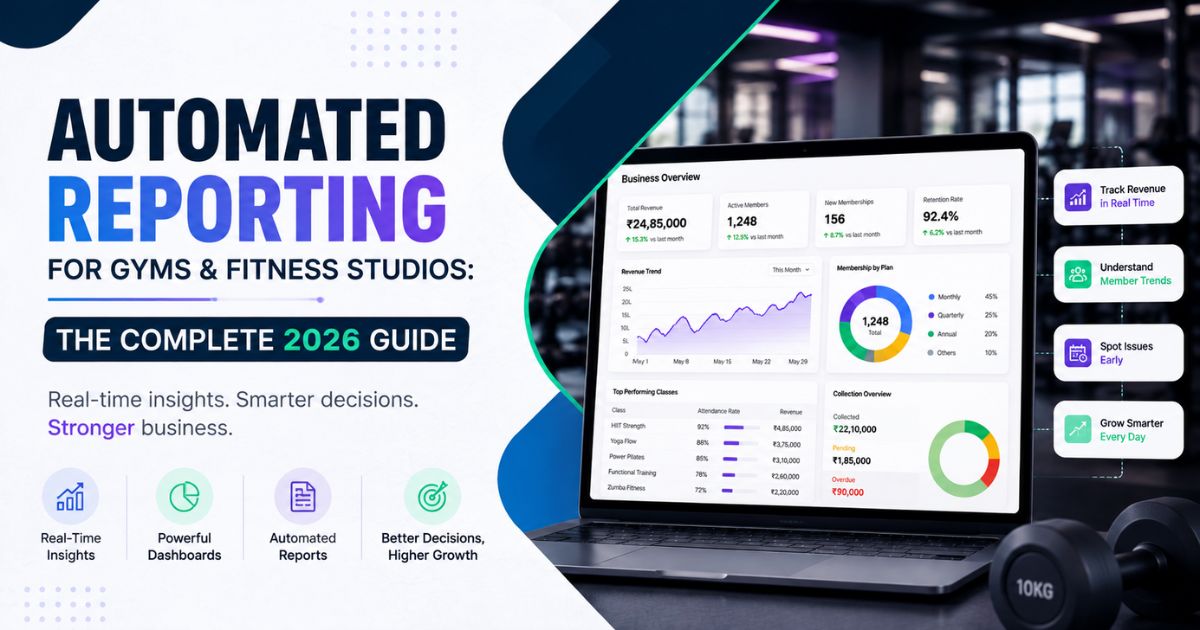
Automated Reporting for Gyms & Fitness Studios: The Complete 2026 Guide
Are you still exporting spreadsheets every Sunday night just to see last week's revenue? If so, you're not running a fitness business—you’re running a part-time data-entry job. With automated reporting for gyms, you can eliminate the manual grind. Instead of wasting hours pulling numbers from your POS, booking calendar, and payment gateway, automated systems deliver a clear, always-updated picture of how your business is performing.
Automated reporting fixes that. It pulls numbers from your POS, booking calendar, and payment gateway. Then it turns them into one clear, always-updated picture of how your business is doing.
This guide covers three things: what automated reporting really means for fitness businesses, why manual reporting quietly drains your time and money, and what to look for when you're ready to switch.
What Is Automated Reporting?
Automated reporting collects data from your daily operations. This includes bookings, memberships, payments, attendance, and staff activity. It then turns that data into ready-made dashboards and reports. No one has to pull the numbers together by hand.
Right now, a staff member might copy numbers from three different tools into a spreadsheet once a week. An automated system does this work continuously instead. The moment a class fills up, a payment clears, or a membership lapses, your reports update in real time.
For a fitness business, this usually covers:
● Revenue reports — daily, weekly, and monthly income, broken down by plan, service, or location
● Membership and attendance reports — new joins, renewals, lapsed members, and check-in patterns
● Class and staff performance — occupancy rates, no-show rates, and trainer productivity
● Collections and receivables — what's been paid, what's overdue, and who needs a follow-up
Why Manual Reporting Is Costing You More Than You Think
Most gym owners don't realize how much manual reporting costs until they stop doing it. Here are a few common problems:
1. Time you'll never get back. Pulling numbers from a booking app, a payment gateway, and a group chat takes real work. Reconciling it all by hand can eat several hours a week. That's time you could spend coaching, selling, or improving the member experience.
2. Decisions made on stale data. By the time you finish a manual report, the numbers are already a few days old. If a class is losing members, or a payment issue is building up, you find out too late to act.
3. Errors that compound. One copy-paste mistake in a revenue sheet can throw off your whole month's numbers. Often nobody notices until the totals don't add up at tax time.
4. No visibility across locations. If you run more than one branch, manual reporting means waiting on each manager to send their numbers. That wait can take days, and the formats rarely match.
What Good Automated Reporting Looks Like
Not all "reporting features" are equal. Here's what separates a genuinely useful system from a glorified export button:
Real-Time Data, Not Batch Updates
Good reports show what happened five minutes ago, not what happened at last night's data sync. Revenue, bookings, and attendance should update the instant a transaction or check-in happens.
Pre-Built Dashboards for the Metrics That Matter
You shouldn't have to build a revenue dashboard from scratch. Look for ready-made reports for revenue, memberships, class performance, staff productivity, and retention. You should also be able to customize them as you grow.
Scheduled Delivery
The best systems don't wait for you to log in. Weekly or monthly reports should land in your inbox, or a manager's inbox, automatically.
Exportable, Accountant-Friendly Formats
Your bookkeeper or accountant may need CSV, PDF, or GST-ready summaries. Your reports should export cleanly with date-range filters, without extra formatting work on your end.
Role-Based Access
A branch manager needs to see their location's numbers. They don't need to edit every member's payment record. Look for tools that let you share report views without handing over full admin control.
Multi-Location Comparison
If you run multiple branches, your reporting should let you compare them side by side in one view. You shouldn't have to stitch together five separate spreadsheets.
How Automated Reporting Drives Retention, Not Just Efficiency
Reporting isn't only about saving time. It also affects member retention directly.
When you see attendance patterns in real time, you can spot a member who's skipped their last few visits, before they quietly cancel. When you see which classes are underbooked, you can adjust the schedule before members stop showing up altogether. Automated reporting turns reactive management into proactive management. And proactive management is what keeps renewal rates high.
How Fitzpot Handles Automated Reporting
Fitzpot's Analytics & Reports feature was built around the problems above. It includes:
● Continuously updated dashboards
● Revenue, member, retention, class, and staff reports — pre-built, no setup required
● Centralized reporting — review reports in one dashboard and share them with the right people
● Multi-location reporting — compare every branch from one super-admin view
● CSV/PDF exports with date filters, ready for your accountant or GST filing
● Role-based access, so branch managers see the numbers they need without full admin rights
Automation can cut manual reporting time significantly, freeing up hours that go straight back into running the business instead of reconciling it. Combined with AI-powered churn prediction and WhatsApp automation, automated reporting stops being about looking backward. It becomes a tool for acting on what's about to happen.
Ready to Stop Building Reports by Hand?
If you're still putting together revenue and attendance numbers by hand, you're spending time on work a system should do for you. Start a free 14-day Fitzpot trial or book a live demo to see automated reporting running on your own business data. No credit card required.